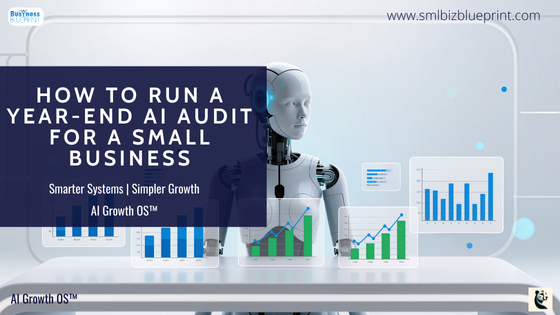

A proper year-end AI audit analyses how your business actually operated—by examining behavioural data such as time allocation, decision flow, and execution patterns—rather than relying solely on financial reports or KPIs.
Using automation and AI orchestrated through Make, this approach surfaces hidden bottlenecks, misalignment, and leverage points that traditional reviews miss.
The result is decision-grade insight that explains why performance unfolded the way it did and what needs to change going forward.
Stop guessing what went wrong last year and finally see how your business actually operated.
Most year-end reviews feel busy, thorough, and strangely unsatisfying.
Numbers are reconciled. Reports are shared. Opinions are debated.
And yet, when the new year begins, many of the same constraints remain firmly in place.
The problem isn’t effort or intelligence. It’s focus.
Most reviews examine outcomes—revenue, margins, KPIs—without analysing the behaviours that produced them.
How time was spent. Where attention went. Which decisions stalled.
That’s where the real signals live.
This article explains what a proper year-end AI audit actually looks like in practice. Not a tutorial, and not a theory piece—but a concrete, working example of how behavioural data, AI, and automation come together inside Make to produce decision-grade insight.
The goal is clarity, not dashboards.
Why the Usual Approach Fails
Reviews rely on memory and narrative
Leaders reconstruct the year based on standout moments, not patterns.
Data is analysed in silos
Financials, sales, and delivery metrics are reviewed separately, breaking cause-and-effect.
AI is used to summarise reports
Instead of interrogating how the business actually operated.
What this system changes:
It audits real behaviour across tools, time, and decisions.
Why this matters now:
As AI makes execution easy, advantage shifts to interpretation and judgment.
Stay ahead of the curve!
Subscribe to our newsletter and never miss the latest in business growth and marketing strategies
Section 1 — What This System Is Designed to Do
A proper year-end AI audit is not a reporting exercise. It is a decision-support system.
When designed well, it:
Reveals how leadership time and attention were actually allocated
Identifies structural friction slowing execution
Surfaces misalignment between strategy and behaviour
Example:
A business believes growth stalled due to market conditions. The audit shows leadership time steadily shifted into internal coordination and issue resolution, reducing sales and partnership activity. Growth didn’t stall accidentally—it was deprioritised operationally.
That insight doesn’t appear in standard reports.
Section 2 — What This Looks Like in Make (A Real Working Example)
To ground this in reality, here is a simplified but fully real example of how a year-end AI audit runs inside Make. This is not a how-to. It’s an operational illustration of a system we design and implement for clients.
The Question Being Audited
“Did leadership time allocation support growth—or quietly work against it?”
#1 Behavioural Data Ingestion
The Make scenario begins by pulling behavioural data, not opinions:
Google Calendar → all leadership events over the past 12 months
CRM activity → deal creation dates, stage movement, close dates
Task system → completed vs overdue work by category
At this stage, nothing is analysed. The system is simply collecting what actually happened.
Why this matters:
These systems record reality as it occurs. No post-hoc interpretation.
#2 Normalisation Into Comparable Signals
Next, Make transforms raw activity into a shared operational structure:
Calendar events become:
Time spent
Internal vs external
Revenue-related vs non-revenue
CRM activity becomes:
Lead-to-decision time
Deals progressing vs stalling
Tasks become:
Completion lag
Priority churn indicators
By the end of this stage, Make holds a clean dataset answering one question:
How was time and attention actually deployed?
This is where most DIY attempts fail—not technically, but conceptually.
#3 AI Pattern Analysis (Bounded, Not Open-Ended)
Only after the data is structured does AI enter the workflow.
Make passes the dataset to AI with a tightly defined analytical role, such as:
Identify where time investment increased without proportional outcomes
Flag mismatches between stated priorities and observed behaviour
Surface second-order effects (e.g. more meetings → slower decisions)
Example signal surfaced:
“Leadership time spent in internal coordination increased 31% during the same period sales velocity declined.”
This is not a conclusion. It’s a tension worth investigating.
#4 Synthesis Into Decision Context
Finally, Make assembles AI findings into a concise insight object:
What changed
When it changed
Why it likely mattered
What decision it points toward
This is delivered as:
A one-page operational summary
A leadership briefing note
Or a strategy input document
No dashboards. No noise. Just clarity.
Section 3 — The Metrics That Actually Matter (and What They Reveal)
These metrics matter because they explain why outcomes occurred, not just what occurred.
Time Allocation by Category
Shows what the business truly prioritised.
Example: Leadership spent 42% of time in internal meetings during a growth push.
What it reveals: Strategy lives where time goes, not where plans say it should.
Decision impact: Reallocate leadership time before hiring more people.
Revenue vs Non-Revenue Activity Ratio
Reveals whether growth was structurally supported.
Example: Sales activity declined while internal optimisation increased.
What it reveals: Growth stalled by design, not market forces.
Decision impact: Shift attention, not targets.
Lead-to-Decision Lag
Measures how long decisions take once information exists.
Example: Deals didn’t fail—they expired in indecision.
What it reveals: Authority and escalation issues, not sales skill gaps.
Decision impact: Clarify decision ownership.
Task Completion Drag
Identifies hidden execution constraints.
Example: Work delays caused by shifting priorities, not workload.
What it reveals: Volatility at the top, not team capacity.
Decision impact: Reduce work-in-progress, not add pressure.
Meeting-to-Outcome Ratio
Separates coordination from progress.
Example: High alignment, low execution delta.
What it reveals: Meetings feel productive until measured.
Decision impact: Replace discussion with ownership.
Section 4 — Common Mistakes to Avoid (and Why They Break the Audit)
Treating the audit like reporting
Reports describe. Audits diagnose.
Including too much data
Noise buries leverage and confuses AI.
Asking AI vague questions
Generic prompts yield generic insight.
Equating activity with progress
Busy systems hide structural problems.
Trusting outputs without scrutiny
AI confidence does not equal correctness.
Each mistake reduces insight quality—even with good tools.
Don’t miss a beat in your business growth journey!
Join Pulse and stay ahead with expert tips and actionable advice every month.
Subscribe to Pulse Today
Section 5 — How This System Is Used in Practice
Daily
Data accumulates passively, building a behavioural record.
Weekly
Early signals appear before results change, enabling course correction.
Monthly
Trends inform capacity, sequencing, and priority decisions.
Year-End
Insights confirm patterns already observed, grounding strategy in evidence.
Benefit:
Fewer reactive decisions. More deliberate ones.
Section 6 — Optional Add-On Automations (and Their Benefits)
Leadership Time Drift Alerts
Catch strategy erosion early.
Role-Based Audits
See leverage differences across Sales, Ops, and Leadership.
Quarterly Decision Reviews
Track whether decisions actually changed behaviour.
Strategy-to-Execution Drift Detection
Reveal silent divergence before results suffer.
Board-Ready Insight Snapshots
Replace narrative updates with evidence-based discussion.
Each enhancement reduces interpretation cost for leaders.
Summary or Pro Tips
Automation enables insight; judgment gives it value
Behavioural data outperforms reported metrics
Fewer insights with higher consequence win
AI should challenge assumptions, not confirm them
Structure determines insight quality
Conclusion
A proper year-end AI audit doesn’t automate thinking—it sharpens it.
When designed well, it reveals how the business actually operated, where leverage was lost, and which decisions mattered more than they seemed at the time. That clarity allows leaders to move forward with confidence instead of guesswork.
The tools are accessible. The judgment is not.
FAQs
Q1: What is a year-end AI audit, in simple terms?
A1: A year-end AI audit analyses how a business actually operated over the year by examining behavioural data—such as time allocation, decision flow, and execution patterns—rather than relying solely on financial reports or KPIs. The goal is to explain why outcomes occurred, not just what happened.
Q2: How is this different from a traditional year-end review?
A2: Traditional reviews focus on outcomes like revenue, profit, and performance metrics. An AI audit focuses on behaviour: how leadership time was spent, where decisions slowed down, and how priorities shifted in practice. This reveals root causes that standard reviews usually miss.
Q3: Why use AI and automation instead of manual analysis?
A3: Manual reviews rely on memory, interpretation, and selective data. AI, when used correctly, can analyse large volumes of operational data consistently and surface patterns humans rarely see—such as second-order effects and contradictions between intent and behaviour. Automation ensures this analysis is repeatable and unbiased.
Q4: What role does Make play in this system?
A4: Make acts as the orchestration layer. It connects tools like calendars, CRMs, and task systems, standardises behavioural data, and routes it through AI analysis. Make does not provide insight on its own—it enables the system that produces insight.
Q5: Is this something a business owner can build themselves?
A5: Technically, parts of it can be assembled using modern AI tools. The challenge is not wiring systems together—it’s knowing what data matters, how to structure it, how to interpret AI outputs, and how to avoid misleading conclusions. That judgment is what determines whether the audit creates clarity or confusion.
Q6: What kinds of insights does a year-end AI audit typically uncover?
A6: Common insights include misalignment between strategy and time allocation, decision bottlenecks that quietly slow growth, overinvestment in coordination, and execution drag caused by shifting priorities. These insights usually point to leadership and system-level changes rather than individual performance issues.
Q7: When is the best time to run an AI audit like this?
A7: While year-end is ideal for strategic planning, the system is most powerful when it runs continuously. This allows businesses to spot drift early, validate decisions over time, and enter year-end planning with evidence instead of surprises.
Other Articles
How to Simplify Annual Business Goals With One Question
How To Identify Low-Value Work With AI Before Planning
The 2026 AI-Driven Planning Framework to Build a Business That Runs Itself