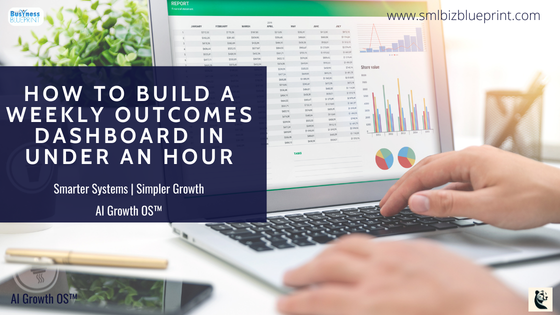

A Weekly Outcomes Dashboard is a simple system that shows business owners what truly matters each week by tracking outcomes instead of tasks.
Built in Google Sheets, it gives instant visibility into priorities, progress, and risks without complex tools or overbuilt dashboards.
In minutes a day, owners can make clearer decisions, adjust faster, and stay focused on results that drive revenue and momentum.
A lightweight system for clarity, focus, and better weekly decisions.
You open your laptop on Monday morning, stare at five different tools, and still can’t answer one simple question: What actually matters this week?
Tasks are everywhere. Outcomes are fuzzy. Progress feels busy but not meaningful.
This guide exists for owners who don’t need another productivity app — they need clarity.
If you run a small business and want a simple way to see whether your week moved the needle, this is for you.
By the end, you’ll have a Weekly Outcomes Dashboard built in Google Sheets that shows priorities, progress, and results in under 10 minutes a day — without overbuilding or maintenance debt.

Why the Usual Approach Fails
Most systems track tasks, not outcomes
Dashboards get overbuilt, then quietly abandoned
Business decisions are made on gut feel, not visible signals
What this system changes: it forces weekly focus, shows progress at a glance, and keeps decision-making grounded in outcomes — not activity.
Speed and clarity beat complexity. Owners who can see reality clearly make better calls, faster.
Section 1 — What This System Will Do
Before touching a spreadsheet, here’s the end result.
This dashboard will:
Define 3–5 outcomes that actually matter this week
Show status without manual reporting
Reveal where attention is being wasted
Create a clean weekly reset rhythm
Real example:
A consultant running sales, delivery, and marketing stops tracking 42 tasks and instead tracks:
“Book 5 qualified sales calls”
“Deliver Project X milestone”
“Publish 1 authority article”
At a glance, they know whether the business is moving forward — or just moving.
Ready to level up your business?
Sign up for our newsletter and get expert tips delivered weekly.
Section 2 — Step-by-Step Build
Step 1 — Create the Dashboard Base
What to do & why it matters
Open a new Google Sheet
Name it: Weekly Outcomes Dashboard
This becomes your single source of truth for weekly focus
Exactly what to create
Row 1 (Headers):
Week
Outcome
Owner
Status
Metric
Confidence (1–5)
Notes
Practical example
Week: 2026-W05
Outcome: Book 5 sales calls
Metric: # of booked calls
Optional AI enhancement
Use an AI assistant to rewrite vague outcomes into measurable ones (e.g. “Improve marketing” → “Publish 1 SEO article”).
Step 2 — Define Outcomes (Not Tasks)
What to do & why it matters
Limit to 3–5 outcomes per week
Fewer outcomes = higher execution quality
Where to click
Fill rows 2–6 with outcomes only
Example
❌ “Send follow-up emails”
✅ “Close 2 new clients”
Optional automation
Create a dropdown for Outcome Type: Sales / Delivery / Ops / Marketing
Step 3 — Add Status Logic
What to do & why it matters
Status gives instant clarity without explanations
Exactly what to create
Status column dropdown:
Not Started
In Progress
At Risk
Done
Example
If it’s Thursday and sales calls = 1/5 → Status = At Risk
Optional AI
Use AI weekly to suggest status based on metrics entered.
Step 4 — Track Confidence
What to do & why it matters
Confidence reveals hidden issues before metrics fail
Where to click
Confidence column → data validation → numbers 1–5
Example
Metric looks fine, confidence = 2 → something is off
Optional automation
Conditional formatting: confidence ≤2 turns cell red.
Section 3 — Key Metrics or Elements to Track
This dashboard works because it tracks just enough signal to support decisions, not vanity data.
Each element plays a specific role in keeping you focused on outcomes.
- Outcome (The “So What”)
This is the business result, not the activity.
A good outcome answers: If this is completed, what changes in the business?
What it reveals
Whether your week is aligned to growth, delivery, or stability
Where leadership attention is actually being spent
Decision insight
If outcomes don’t clearly map to revenue, leverage, or risk reduction, they don’t belong here.
- Metric (Objective Proof)
A single measurable indicator tied to the outcome
Should be binary or countable wherever possible
Examples
Sales: # of booked calls
Marketing: # of qualified leads
Delivery: Milestone completed (Yes/No)
Ops: Hours saved or Process automated
What it reveals
Reality vs intention
Progress trends over time
Decision insight
Metrics remove emotional bias from weekly reviews.
- Status (Fast Signal)
Status is your executive snapshot
Why it matters
Lets you scan the week in under 10 seconds
Forces honest assessment without storytelling
Recommended logic
Not Started → no traction
In Progress → momentum exists
At Risk → needs intervention
Done → outcome achieved
Decision insight
Anything “At Risk” by midweek requires either focus or scope reduction.
- Confidence Score (Human Signal)
A subjective 1–5 rating
Often more predictive than metrics
What it reveals
Energy, clarity, friction, and sustainability
Early warning signs of burnout or hidden blockers
Decision insight
Low confidence + good metrics = short-term win, long-term problem
High confidence + slow metrics = stay the course
- Notes (Context Without Meetings)
One or two sentences max
Capture why something is stuck or moving
Decision insight
Notes turn your dashboard into a learning system over time.

Section 4 — Common Mistakes to Avoid
Most failures come from how the dashboard is used, not how it’s built.
Treating Outcomes Like Tasks
Problem
“Send proposals” instead of “Close 1 deal”
Fix
Outcomes must describe a business state change
Tracking Too Many Metrics
Problem
Multiple KPIs per outcome create confusion
Fix
One metric per outcome. Always.
Only Reviewing at Week’s End
Problem
Turns the dashboard into a retrospective log
Fix
Midweek status check = course correction power
Ignoring Confidence Data
Problem
Owners override intuition until burnout hits
Fix
Treat low confidence as a signal, not weakness
Over-Automating Early
Problem
Time spent building replaces time spent executing
Fix
Manual first, automate only when behaviour is consistent
Letting Missed Outcomes Feel Like Failure
Problem
Emotional reaction instead of learning
Fix
Missed outcomes are feedback, not judgment
Section 5 — How to Use This System Daily, Weekly, Monthly
This dashboard is most powerful when it becomes a rhythm, not a task.
Daily (1–2 minutes)
Update:
Status
Confidence score
Ask:
“What would move this outcome forward today?”
Business benefit
Keeps focus tight without micromanagement
Weekly (20–30 minutes total)
Monday (10 minutes)
Define 3–5 outcomes
Confirm each outcome links to revenue, leverage, or risk reduction
Midweek (5 minutes)
Scan for “At Risk”
Adjust scope or attention
Friday (10–15 minutes)
Mark Done / Not Done
Write one sentence per outcome:
“What did this week teach me?”
Business benefit
Prevents drift and reactive planning
Monthly (30–45 minutes)
Review last 4–5 weeks
Look for:
Repeated unfinished outcomes
Chronic low confidence areas
Outcomes that drive the most value
Business benefit
Reveals structural issues, not just weekly ones
Section 6 — Optional Add-On Automations
These enhancements are optional and should only be added once the core habit is solid.
Weekly Outcome Prompt
What it does
Automated reminder every Monday to set outcomes
Business benefit
Removes reliance on memory or motivation
AI Weekly Reflection Summary
What it does
Turns notes into insights:
“What worked?”
“What stalled?”
“What to change next week?”
Business benefit
Accelerates learning without extra effort
Monthly Roll-Up View
What it does
Shows:
% outcomes completed
Average confidence by category
Business benefit
Enables strategic planning based on evidence
Calendar Alignment
What it does
Links outcomes to calendar blocks
Business benefit
Ensures priorities actually get time
Simple Alerts
What it does
Flags:
Low confidence
Repeated “At Risk” outcomes
Business benefit
Early intervention before problems compound
Don’t miss a beat in your business growth journey!
Join Pulse and stay ahead with expert tips and actionable advice every month.
Subscribe to Pulse Today
Section 7 — Pro Tips
If an outcome repeats 3 weeks in a row, it’s under-scoped
Low confidence with good metrics = sustainability risk
Missed outcomes are data, not failure
Fewer outcomes beat better intentions
Review before planning — always
Conclusion
You now have a system that shows what matters, what’s moving, and what needs attention — without noise or overbuild.
This Weekly Outcomes Dashboard gives you leverage: clearer thinking, faster decisions, and calmer weeks.
Build it once. Use it every week. Let the business tell you the truth.
FAQs
Q1: What is a weekly outcomes dashboard?
A1: A weekly outcomes dashboard is a simple system that tracks results instead of tasks, helping business owners see what actually moved the business forward each week.
Q2: How is a weekly outcomes dashboard different from a to-do list?
A2: A to-do list tracks activity. A weekly outcomes dashboard tracks business impact, using outcomes, metrics, and status to guide decisions—not just execution.
Q3: How long does it take to build a weekly outcomes dashboard?
A3: Most owners can build a lightweight version in 30–60 minutes using a spreadsheet tool like Google Sheets, then maintain it in just a few minutes per day.
Q4: What should I track in a weekly outcomes dashboard?
A4: At minimum: weekly outcomes, one metric per outcome, status, and confidence. These elements provide both objective progress and early warning signals.
Q5: How many outcomes should I track each week?
A5: The sweet spot is 3–5 outcomes per week. More than that reduces focus and turns the dashboard into another task list.
Q6: Is a weekly outcomes dashboard better for solo founders or teams?
A6: It works for both. Solo founders gain clarity and focus, while teams use it to align priorities and reduce unnecessary meetings.
Q7: Can this replace weekly planning or review meetings?
A7: Yes—many owners use the dashboard as the agenda and decision framework, making meetings shorter, clearer, or unnecessary altogether.
Other Reading
Google Sheets productivity basics
Outcome vs output thinking (OKR foundations)
Other Articles
Why Your To-Do List Fails—and How to Turn Tasks Into Outcomes