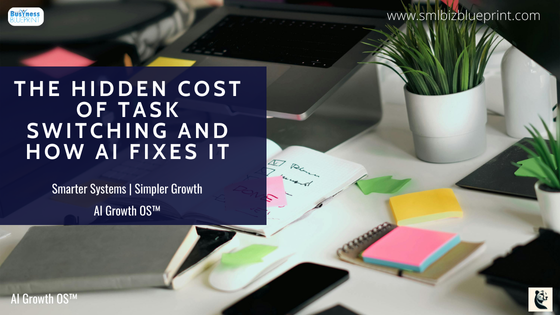

Task switching silently erodes productivity by forcing the brain to reload context with every interruption, costing up to 40% of working time.
Beyond wasted hours, it creates attention residue—a lingering mental fog that weakens clarity and decision quality.
AI helps fix this by filtering noise, automating low-value tasks, and protecting focus, so you can finish more with less effort.
You start your day with a plan. By mid-morning, it’s gone.
Email dings, Slack pings, a colleague drops by with “just a quick question.” You jump between tabs, half-finish a draft, skim through a report, and tell yourself you’ll circle back.
Hours later, you’ve worked nonstop—yet nothing feels complete.
This is task switching. And it’s quietly draining more than your time.
Every interruption forces your brain to reload context, leaving behind fragments—what psychologists call attention residue. Each switch slows you down, makes decisions fuzzier, and leaves you with the uneasy sense of being busy but not effective.
Multiply that by dozens of switches a day, and you’ve lost not just productivity, but clarity.
Here’s the hidden cost: the more you chase speed through juggling, the slower and shallower your work becomes.
And the emotional toll is real—feeling scattered, stretched thin, and never fully present in the work that matters.
But it doesn’t have to stay this way. AI offers a different path—not by piling on more tools, but by acting as a focus firewall: filtering noise, automating the low-value work, and keeping you in flow longer.
The result?
A workday where you finish what you start, make sharper decisions, and leave with energy to spare.
In this post, we’ll unpack:
The hidden costs of task switching vs multitasking
Why conventional productivity stacks make switching worse
How AI can protect focus and decision quality
Practical workflows you can apply today
If you’ve been moving fast but feeling scattered, this is how to flip the script.

Task Switching vs Multitasking: What’s the Difference and Why It Destroys Productivity
Task switching isn’t the same as multitasking—and both are costing you more than you think.
Multitasking is the illusion of doing two things at once: replying to a client message while half-listening on a Zoom call.
Task switching is more subtle: moving rapidly between separate tasks—an email, a spreadsheet, a chat window—each time forcing your brain to reload context.
Both chip away at focus, but switching is the real productivity assassin.
The human brain isn’t built for rapid toggling—it’s sequential, not parallel. Every shift comes with a “resumption cost”: time and energy spent re-orienting. Studies show this cost can slash productivity by up to 40%.
What feels like agility is actually fragmentation. Like a computer clearing and reloading its cache, your brain burns processing power every time you pivot.
You think you’re moving fast, but you’re only moving shallow.
Most people don’t realise the emotional cost that hides inside these switches. Constant toggling doesn’t just waste minutes—it creates a lingering fog called attention residue.
It’s the reason you open a document and feel mentally stuck, or re-read the same line three times. It’s not laziness. It’s cognitive drag. And it leaves you finishing the day exhausted, not from doing too much, but from never finishing enough.
You’re not “bad at focusing.” You’re working inside systems designed to fragment your attention.
Once you see task switching for what it is, you can choose to work differently—and align with professionals who protect their focus like an asset, not an afterthought.
The longer this stays the same, the more hours bleed away invisibly. What that means for your business is simple: the projects that could have been finished weeks ago are still sitting in half-done folders, costing you opportunities you’ll never get back.
Pro Tip:
Use AI to track and summarise the last three actions you took before every interruption—it gives you a “re-entry point” in seconds.
Because speed isn’t the edge—coherence is. The faster you can re-enter deep work without reloading your mental cache, the more your work compounds. That’s how thinkers, not just workers, stay ahead.
Want more insights like this?
Join our newsletter for exclusive tips, strategies, and updates straight to your inbox!
How Much Time Do You Lose Refocusing After Interruptions? The Real Cost of Context Switching
Every interruption robs you of far more time than the interruption itself.
A Slack ping that takes 30 seconds to answer doesn’t cost 30 seconds—it costs the 20 minutes your brain needs to fully reload the original task.
Researchers at the University of California, Irvine found it takes 23 minutes and 15 seconds on average to return to deep focus after an interruption. That’s not a distraction—it’s a tax on your entire workday.
The hidden loss adds up fast. Five interruptions a day—which is conservative—equals almost two hours of recovery time. For many professionals, the real number is closer to 10–15. That’s the equivalent of losing a full workday every week.
The worst part?
You don’t notice it in the moment. You just feel the creeping frustration of never finishing what you started.
Most people don’t realise that the real damage isn’t the delay—it’s the mental fog that lingers. Psychologists call this attention residue: the leftover fragments of the last task that intrude into the new one.
It’s why you’re staring at a blank page after a meeting, or still replaying a half-written email in your head while trying to analyse a report.
You’re not just short on time—you’re short on clarity.
Relief comes when you stop treating interruptions as harmless. When you acknowledge the true cost, you stop tolerating them as “just part of the job” and start designing guardrails.
The difference between scattered days and focused ones is often nothing more than reducing your recovery lag from half an hour to a few seconds.
Professionals who learn to guard their recovery time stop being defined by busyness. They move from scattered operators to deliberate builders—the kind of people who finish projects on schedule while others are still chasing their inbox.
The longer this stays the same, the more unseen hours bleed out of your week. What that means for your business is blunt: you’re not just behind schedule—you’re behind competitors who finish faster because they protect their focus.
A mid-level marketing manager thought she was losing maybe 20 minutes a day to distractions. After mapping her interruptions, she realised recovery time was costing nearly two hours daily—an entire workday lost each week.
Once she started batching communications and using AI digests, her projects stopped stalling.
What felt like a small tweak turned into finishing campaigns weeks earlier.
Pro Tip:
Use AI to generate automatic “session snapshots”—a short note or recap of where you left off every time you pause. When you return, you jump back in instantly.
Because productivity isn’t about filling hours—it’s about preserving momentum. The faster you re-enter a task at full strength, the more your work compounds. That’s how organisations outpace their peers—not by working longer, but by resuming sharper.
Why the Default Productivity Stack Increases Context Switching (and What to Replace It With)
The very tools meant to make you productive are the ones fragmenting your attention. Every ping, notification, and dashboard forces another switch.
Emails arrive constantly. Slack or Teams demand instant responses. Project management apps fill with status updates that pull you away from the work itself.
What looks like progress is really an endless cycle of micro-interruptions.
Most productivity stacks are designed for visibility and responsiveness, not focus. They reward being available, not being effective.
A Qatalog and Cornell study found that knowledge workers toggle between apps 1,200 times a day—that’s not productivity, it’s churn. Add in the average of 74 daily email checks, and the result is a system optimised for fragmentation.
The longer this remains your operating model, the more it drains your performance. Each app switch comes with hidden recovery costs. Each tool added to your stack multiplies the complexity.
You think you’re building efficiency, but what you’re really building is cognitive debt—a system where no task can be finished without three others demanding attention.
I once thought adding another tool would fix the problem—project software here, chat integration there, dashboards everywhere.
Instead of clarity, I created a digital maze that left me chasing notifications across five platforms.
The breakthrough came when I stripped half of them away and leaned on AI to filter the noise. Suddenly, what felt overwhelming became simple again.
Relief comes when you redesign your workflow around flow efficiency, not activity tracking.
That means consolidating tools, turning off non-essential notifications, and letting AI surface the true priorities. One unified dashboard of filtered, relevant tasks beats five apps competing for your focus.
Simplicity is the competitive advantage.
High-performing professionals don’t measure their day in pings responded to—they measure it in projects moved forward. They know that protecting focus is a signal of leadership, not negligence.
The longer your team lives inside a noisy stack, the more hours leak away invisibly. What that means for your business is direct: deadlines slip, quality drops, and competitors who run leaner systems outpace you while you’re still chasing notifications.
Pro Tip:
Audit your productivity stack this week. Cut or mute one app that adds noise but no measurable progress.
Because fewer tools don’t just mean fewer pings—they mean fewer context rebuilds. The real gain isn’t time saved—it’s decision clarity. When your brain isn’t rebooting every 10 minutes, your best thinking finally has space to land.

AI as a Focus Firewall: Automation, Prioritisation, and Summaries That Cut Switching
Right now, most of your day is spent filtering noise instead of doing the work that matters. You scroll through endless emails, skim Slack threads, and jump into meetings just to figure out what’s important.
This filtering function burns the very focus you’re trying to protect.
The frustration isn’t just the time wasted—it’s the mental fatigue of deciding, over and over, where to aim your attention.
AI changes the game by acting as a focus firewall. Instead of you doing the filtering, AI handles it—summarising 50 Slack messages into three bullet points, drafting the first pass of a report so you start at 60% instead of zero, or flagging only the two emails that actually require a response.
AI doesn’t just automate; it shields you from context fragmentation.
Most people don’t realise the bigger win isn’t speed—it’s preserved judgment. Each micro-decision drained by interruptions reduces the quality of your bigger decisions later.
AI keeps your decision-making capacity intact by absorbing the noise and presenting only high-signal input. That’s not time saved—it’s clarity saved.
Relief comes when AI pre-processes the flood of work. Your role shifts from sifting to steering. You stop wasting mornings clearing an inbox and start shaping strategy.
The cost of switching drops not because you’re faster, but because you’re finally uninterrupted.
Professionals who let AI filter noise aren’t just “working smarter.” They’re building a system where focus is protected by design, and where their best thinking is preserved for the work that actually defines them.
The longer you delay, the more your decision quality erodes—not just your efficiency. What that means for your business is simple: every week without a focus firewall is another week where your best judgment is squandered on email triage instead of strategy.
Pro Tip:
Use AI to auto-summarise your inbox and team chat daily. Review the digest once in the morning and once in the afternoon—ignore the rest.
Because the edge isn’t in answering faster—it’s in answering better. The fewer decisions you waste on noise, the more bandwidth you preserve for the choices that shape growth.
From Checklists to Flow: Use Queueing Theory to Organise Work for Deep Focus
Checklists give the illusion of control—but they trap you in busyness, not progress. Most professionals spend their days crossing off endless lists, believing that more tasks completed equals more productivity. In reality, each item pulled into motion multiplies switching and slows everything down.
The frustration comes from working harder, yet feeling like nothing truly moves forward.
The default approach fails because it maximises activity, not throughput. When you juggle 10 half-finished tasks, each one takes longer to complete, and quality suffers.
Queueing theory shows why: the more work-in-progress you pile up, the longer the average wait time for completion. The system bogs down. The longer you run this way, the more projects linger in “almost done” purgatory.
Relief comes when you adopt a flow mindset. Instead of treating work as an infinite checklist, you limit what’s in motion. Like Kanban boards in agile development, progress accelerates when fewer tasks are active at once.
AI can enforce this discipline—holding low-priority tasks until focus periods are clear, or automatically reordering your queue to maximise flow.
The paradox is simple: by doing less at once, you finish more overall.
Most people don’t realise that throughput—not effort—is the real measure of productivity. A smaller queue produces faster completion, fewer mistakes, and more mental clarity.
It’s the opposite of the “always busy” culture—and it feels radically different to end the day with three completed projects rather than ten half-finished ones.
Builders who design their days around flow aren’t task chasers—they’re system shapers. They measure themselves not by busyness, but by outcomes delivered. That shift in identity—from worker to builder—is what separates people who finish from those who constantly restart.
The longer you stay trapped in checklist culture, the more you confuse movement with momentum. What that means for your business is stark: projects drag on, deadlines slip, and opportunities vanish while your team is still “working hard.”
Most teams are drowning not from too little effort, but from too many half-finished tasks.
It’s like watching builders lay the foundations of ten houses at once but never complete a single roof. The moment they limit work-in-progress, throughput skyrockets—suddenly, homes get finished.
The same shift applies to knowledge work: less juggling, more finishing.
Pro Tip:
Limit your active tasks to three per day and let AI tools queue the rest until you’re finished.
Because productivity isn’t about volume—it’s about flow. The faster you reduce work-in-progress, the sooner you create finished assets that compound. That’s how high-leverage professionals scale impact while everyone else drowns in lists.
Don’t miss a beat in your business growth journey!
Join Pulse and stay ahead with expert tips and actionable advice every month.
Subscribe to Pulse Today
Practical Playbooks: 5 AI Workflows That Reduce Task Switching Today
Knowing that task switching costs you time isn’t enough—the frustration is not having a way out. You’ve tried time blocking, sticky notes, or even productivity apps, but the interruptions still creep in.
What you need are practical workflows that shield your focus instead of just managing your tasks.
- AI Priority Digest: Start the day with clarity, not clutter. Instead of scanning through hundreds of emails and Slack threads, an AI agent can create a morning digest of your top three priorities. You begin the day aligned with what matters, not scattered across what’s loudest.
- Meeting Capture: Stop reliving meetings just to remember what happened. AI transcription tools can capture every word, then generate clean summaries and action lists. You leave the meeting and move straight into execution instead of wasting an hour rewriting notes.
- Inbox Summaries: Trade scrolling for decisions. AI-powered email assistants condense unread messages into one page. Instead of opening 50 tabs, you make five high-quality decisions. The relief is instant: your inbox becomes a tool, not a trap.
- Smart Calendar Guardrails: Protect your deep work by default. AI scheduling tools block off focus hours when you’re most productive. They shuffle meetings around those windows, turning your calendar into a shield instead of an obstacle course.
- Knowledge Agent: Find answers without breaking flow. Instead of hunting through documents, policies, or wikis, AI agents surface answers instantly. No more 20-minute detours for a single fact. You stay in the lane of your work, uninterrupted.
Most people don’t realise the true power of these workflows isn’t time saved—it’s the compounding effect of uninterrupted focus. A few hours reclaimed each week may not seem like much.
But string them together, and suddenly you’re finishing projects weeks earlier than before.
Professionals who design workflows around AI aren’t just efficient—they’re future-proof. They’re the ones who finish work while others are still toggling between windows, and that difference compounds into authority, reputation, and growth.
Every week you run without focus workflows, you’re leaking hours into administrative noise. What that means for your business is blunt: you’re paying salaries for busywork instead of progress, and those lost hours never return.
Pro Tip:
Implement just one AI workflow this week—like meeting summaries—and measure the hours reclaimed.
Because the edge isn’t adding more hacks—it’s removing friction. The faster you build a system where noise is filtered by default, the sooner your focus compounds into work that actually moves the business.
Metrics That Matter: Leading Indicators of Focus (Not Just Busyness)
Most teams measure the wrong things—and it shows. You track tasks completed, emails answered, meetings attended. On paper, activity looks high. But inside the business, deadlines still slip, and employees leave drained.
The frustration comes from measuring busyness as if it equals progress. It doesn’t.
The default approach fails because it celebrates output instead of focus. When leaders use metrics like “hours worked” or “tickets closed,” they reward scatter, not clarity. It’s how teams end up working longer while actually delivering less.
If you want speed that compounds, you need metrics that measure the health of focus, not just the quantity of effort.
Relief comes when you track leading indicators of focus. Imagine dashboards that highlight uninterrupted work hours, decision cycle time, and error rates instead of just headcount and utilisation.
Developers with three hours of uninterrupted focus solve more bugs than those logging ten fragmented hours. Marketers who protect deep work produce campaigns in weeks, not months.
These metrics align effort with outcomes.
Most people don’t realise that AI can track these signals automatically. Smart dashboards can show how often focus hours are protected, how many interruptions are blocked, and how quickly decisions are made when context is preserved.
Suddenly, you’re measuring what truly predicts growth: clarity, not chaos.
Businesses that shift to focus metrics stop being reactive—they become intentional. They know their edge isn’t squeezing more hours out of people but getting better work out of fewer switches. That’s how modern operators build teams that deliver, not just perform.
The longer you measure busyness instead of focus, the more blind you stay to the real leaks in performance. What that means for your business is direct: wasted salaries, burned-out teams, and competitors delivering sharper results with fewer resources.
Pro Tip:
Start tracking “uninterrupted focus hours” alongside tasks completed—it’s a simple metric with powerful insight.
Because what you measure shapes what you value. If you reward activity, you’ll get noise. If you reward focus, you’ll get clarity—and clarity is the foundation of speed that lasts.
Conclusion
Right now, you’re working harder than ever and still feeling behind. Every day is filled with pings, context switches, and half-finished projects.
You’re drained not because you’re lazy, but because the system you’re working inside is designed to fragment you.
The frustration of being “busy but not effective” has become normal—but it doesn’t have to stay that way.
Relief comes when you stop chasing speed through more tasks and start chasing clarity through fewer switches.
Protecting your focus means fewer interruptions, sharper decisions, and days that actually end with work finished.
It’s not about cramming more into the same hours—it’s about reclaiming the mental space to do your best work.
Builders who protect their focus create more than projects—they create momentum. They’re remembered not for being available to every ping, but for delivering outcomes that moved their business forward.
Because the cost of inaction is steep: every week you stay stuck in context switching, you lose hours you’ll never recover, clarity that decays, and opportunities that pass to competitors who finish faster.
You’ve done enough the hard way. Let your business breathe. Clarity, freedom, and growth aren’t distant—they’re one decision away.
And that choice is yours: stay stuck in the cycle of interruptions, or step forward into a way of working where your focus is guarded, your time compounds, and your business finally runs with momentum.
Action Steps
Audit Your Day for Hidden Switches
Track how often you change tasks, apps, or tabs in a single day. Most people underestimate by half. Awareness is the first step toward change.
Calculate Your Recovery Cost
Multiply your average daily interruptions by 23 minutes (the proven average refocus time). This gives you a clear picture of how many hours vanish each week.
Cut the Noise at the Source
Silence non-essential notifications, close unused apps, and consolidate tools. The fewer inputs competing for your attention, the fewer switches you’ll make.
Protect Deep Work Hours
Block 2–3 focus periods in your calendar daily. Treat them as immovable. Guard them from meetings and use them for the work that matters most.
Deploy AI as Your Focus Firewall
Use AI to summarise inboxes, capture meeting notes, and reorder tasks by priority. Let machines handle filtering and admin so your focus stays intact.
Shift From Checklists to Flow
Limit yourself to three active tasks at a time. Finish one before starting another. Measure throughput, not busyness.
Track Metrics That Reflect Clarity
Replace “hours worked” with “uninterrupted focus hours” and “decision cycle time.” What you measure shapes what you value—and clarity should be the goal.
Every week this stays the same, you’re losing not just time, but judgment and momentum. By taking these steps, you turn focus from a fragile hope into a repeatable system—and that’s how growth compounds.
FAQs
Q1: What is task switching, and why does it hurt productivity?
A1: Task switching is the act of shifting rapidly from one task to another—like checking email mid-report or jumping from a spreadsheet to a chat window. Each switch forces your brain to reload context, costing both time and focus. Over the course of a day, these small lags add up to hours of lost productivity.
Q2: How is task switching different from multitasking?
A2: Multitasking is trying to do two things simultaneously (e.g., listening to a call while writing an email), while task switching is bouncing between tasks sequentially. Both degrade performance, but switching is more common in knowledge work and often harder to notice.
Q3: How much time do you really lose when switching tasks?
A3: Research from the University of California, Irvine found it takes 23 minutes and 15 seconds on average to fully refocus after an interruption. Even five daily switches can mean nearly two hours of wasted time—time most professionals don’t even realise they’re losing.
Q4: What is “attention residue” and why does it matter?
A4: Attention residue is the mental fog left over from the last task you were working on. It makes it harder to focus on the next one. The more you switch, the more residue accumulates, leaving you scattered, drained, and less effective at decision-making.
Q5: How can AI help reduce task switching?
A5: AI tools act as a focus firewall by filtering noise, summarising inputs, and automating low-value tasks. Examples include inbox digests, meeting transcription and summaries, AI scheduling assistants, and knowledge agents that surface answers instantly. These workflows preserve your focus for high-value work.
Q6: What’s the biggest hidden cost of task switching?
A6: Beyond time lost, the biggest cost is decision quality decay. Frequent switches drain mental energy, making you more likely to choose safe or shallow options. Over time, this undermines creativity, strategy, and growth.
Q7: What’s one step I can take today to reduce task switching?
A7: Start by limiting your active tasks to three per day. Use AI or automation to hold lower-priority work in the queue. This simple shift—fewer tasks in progress, more tasks finished—immediately reduces switching and builds momentum.
Bonus: Three Unconventional Costs of Task Switching You Might Be Missing
Micro-Transitions Drive Burnout Faster Than Long Hours
Most people assume burnout is simply the result of working too much. But the real culprit is often the sheer number of transitions in a day. Every time you check Slack, toggle tabs, or glance at your inbox, your body experiences a small cortisol spike.
One or two aren’t harmful, but dozens per day create a constant state of “alert mode.” Over weeks, this drains energy and resilience, even if your total workload isn’t extreme.
The longer you ignore micro-transitions, the more you risk burning out, not because of effort, but because of fragmentation.
Task Switching Silently Taxes Creativity
The deeper cost of task switching isn’t efficiency—it’s originality. Creative breakthroughs often surface in uninterrupted states where ideas can compound. Each switch interrupts this fragile process, leaving insights half-formed.
That’s why work feels incremental instead of innovative when your day is filled with interruptions.
The longer your focus is scattered, the fewer breakthroughs you’ll create. What that means is your business risks becoming efficient at the wrong things—execution without innovation.
Even ‘Good Interruptions’ Have Hidden Costs
Conventional wisdom says some interruptions—like quick check-ins or spontaneous collaboration—are healthy. But timing matters. Studies show that even valuable content delivered at the wrong moment disrupts focus and forces the same 20-minute recovery lag.
The interruption might be useful, but what it displaces is often more important.
The longer you treat all interruptions as harmless, the more high-value work you silently sacrifice to “good” but poorly timed conversations.
Professionals who see these hidden costs stop measuring interruptions by content alone—they measure them by their impact on clarity.
That shift changes not only how you structure your day but how your team communicates.
Other Articles
Smarter AI-Powered Visibility for Small Business Owners
The Simple 4-Step System to Filter High-Value Clients Fast
5 Best AI Tools to Repurpose & Distribute Your Content Effortlessly