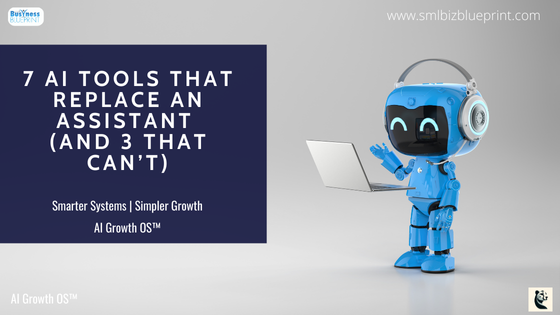

For decades, the answer to business overload was simple: hire an assistant.
But today, many of the tasks once handled by human assistants — from scheduling to note-taking to drafting content — can now be automated with AI tools.
That doesn’t mean you’ll never need human support. But it does mean your first hire can be digital.
In this article, we’ll break down 7 AI tools that effectively replace an assistant — plus 3 tasks that still demand human judgment.

#1 ChatGPT: Your 24/7 Writing and Research Assistant
Overview
ChatGPT is an AI-powered writing and conversation tool that generates text, answers questions, and summarises information in natural language.
Key Features
Creates emails, blog posts, reports, and social media copy
Summarises documents or transcripts instantly
Provides brainstorming and idea generation
Adapts tone and style with prompt engineering
Pros
Rapid content creation
Available 24/7
Can handle diverse topics
Cons
May produce errors or generic responses without guidance
Needs human oversight for brand consistency
Ideal Use Cases
Drafting client communication
Summarising meeting notes
Generating blog outlines or FAQs
Mini Usage Scenario
A consultant uploads a client transcript and gets a polished, shareable meeting summary in minutes.
Top Integrations
Zapier
Google Docs
Slack
Best For
Marketing managers producing content daily
Solo entrepreneurs juggling communication
Consultants and coaches who need quick summaries
Stay ahead of the curve!
Subscribe to our newsletter and never miss the latest in business growth and marketing strategies
#2 Motion: AI Calendar That Plans Your Day Automatically
Overview
Motion uses AI to automatically schedule and reschedule tasks, meetings, and priorities, acting like a digital executive assistant.
Key Features
Auto-reschedules tasks when priorities change
Integrates personal and work calendars
Prioritises deadlines dynamically
Optimises schedules for productivity
Pros
Reduces scheduling stress
Keeps tasks aligned with deadlines
Adjusts in real time
Cons
Requires initial setup and habit change
Best for structured task management (not ad hoc requests)
Ideal Use Cases
Managing shifting priorities
Scheduling focus time
Balancing personal and work calendars
Mini Usage Scenario
When a client cancels, Motion automatically reschedules tasks so the day stays productive.
Top Integrations
Google Calendar
Asana
Trello
Best For
Freelancers managing multiple projects
Founders with busy calendars
Remote teams balancing meetings
#3 Reclaim.ai: Smart Scheduling That Saves You Hours
Overview
Reclaim.ai is a time-blocking tool that automatically protects focus time, breaks, and recurring tasks in your calendar.
Key Features
Smart time blocking
Syncs personal and work calendars
Auto-schedules recurring tasks
Predictive adjustments to keep balance
Pros
Prevents overbooking
Creates sustainable work-life balance
Frees focus time without micromanagement
Cons
Less effective for chaotic, last-minute work styles
Limited offline use
Ideal Use Cases
Blocking time for admin, workouts, or deep work
Keeping meetings from dominating the calendar
Mini Usage Scenario
A business owner sets weekly “finance review” tasks, and Reclaim automatically blocks time before deadlines.
Top Integrations
Google Calendar
Slack
Todoist
Best For
Business owners who overbook themselves
Teams balancing personal and work tasks
Remote professionals managing multiple commitments

#4 Otter.ai: Real-Time Meeting Notes Without the Typing
Overview
Otter.ai is an AI transcription tool that creates live notes and summaries from meetings, interviews, and calls.
Key Features
Real-time transcription
Highlight and keyword extraction
Automated summaries
Shareable transcripts
Pros
Accurate note-taking
Saves hours in documentation
Searchable archives
Cons
Requires internet for real-time use
May miss nuance in poor audio quality
Ideal Use Cases
Capturing client calls
Creating searchable meeting archives
Producing instant post-meeting summaries
Mini Usage Scenario
A team runs a Zoom meeting, and Otter automatically shares a transcript and action items within minutes.
Top Integrations
Zoom
Google Meet
Dropbox
Best For
Project managers tracking meetings
Consultants handling client sessions
Teams needing searchable archives
#5 Scheduler.ai & Clara: AI That Books Meetings for You
Overview
These AI assistants handle the back-and-forth of finding meeting times, replacing a key task of human assistants.
Key Features
Auto-schedules meetings via email
Negotiates time slots with participants
Syncs with calendars
Custom availability rules
Pros
Eliminates “what time works?” email threads
Easy integration with existing calendars
Improves professionalism
Cons
Limited flexibility for complex scheduling
Some users prefer human touch
Ideal Use Cases
Booking sales calls
Scheduling client check-ins
Organizing interviews
Mini Usage Scenario
A founder sends “meet with me” links, and Clara auto-negotiates times directly with prospects.
Top Integrations
Google Calendar
Outlook
CRMs (HubSpot, Salesforce)
Best For
Sales reps booking demos
Consultants scheduling client calls
HR professionals arranging interviews
Transform your business with insights that matter.
Subscribe to Pulse for exclusive strategies designed to drive your success.
Join Pulse Now
#6 Jasper: Content Creation Without the Back-and-Forth
Overview
Jasper is an AI content creation tool that generates marketing copy, blog intros, and ad variations.
Key Features
Creates multiple ad copy versions
Blog post and email drafting
Tone and style settings
SEO optimisation with SurferSEO
Pros
Fast campaign content production
Reduces creative bottlenecks
Scales output easily
Cons
Needs human editing for nuance
Subscription cost may be high for solo users
Ideal Use Cases
Writing ad copy variations
Creating product descriptions
Generating SEO-friendly blog content
Mini Usage Scenario
A startup launches a campaign with five ad versions generated in under 15 minutes.
Top Integrations
SurferSEO
Zapier
Grammarly
Best For
Marketing teams needing constant output
E-commerce owners writing product descriptions
Agencies scaling content production
#7 Zapier + AI: Automating Tasks an Assistant Normally Handles
Overview
Zapier connects apps and automates workflows. Combined with AI, it replicates many repetitive assistant tasks.
Key Features
Multi-step workflows (“Zaps”)
Triggers and actions across 6,000+ apps
AI content generation in workflows
Data syncing across tools
Pros
Saves hours of manual work
Runs 24/7 without oversight
Highly customizable
Cons
Can become complex at scale
Requires thoughtful setup to avoid errors
Ideal Use Cases
Automating CRM updates
Generating and sending AI-written emails
Syncing form responses into multiple platforms
Mini Usage Scenario
When a lead fills a form, Zapier logs it into CRM, drafts a welcome email with ChatGPT, and sends it instantly via ConvertKit.
Top Integrations
HubSpot
Google Sheets
ConvertKit
Best For
Small teams needing automation
Agencies managing multiple clients
Founders who want a “hands-off” back office
The 3 Tasks AI Can’t Fully Replace (Yet)
Handling Complex Client Relationships
AI schedules follow-ups, but only humans can navigate tone, emotion, and negotiation.
Strategic Decision-Making and Judgement Calls
Data is easy. Deciding what to do with it still requires human context.
Creative Vision and Brand Voice
AI drafts well, but your unique vision and leadership define brand identity.
Pro Tips: Blending AI and Human Support
Start with AI for repetitive tasks (scheduling, notes, content drafts).
Layer in humans for client-facing, judgment-heavy work.
Treat AI as your “first hire” — humans as your scaling team.
Conclusion
AI isn’t just a buzzword anymore — it’s a practical, cost-effective way to reclaim time and streamline operations.
Tools like ChatGPT, Motion, Reclaim.ai, Otter.ai, Scheduler.ai, Jasper, and Zapier now cover everything from writing and scheduling to automation and note-taking.
That means entrepreneurs and small teams can enjoy the benefits of an “always-on assistant” without the overhead of hiring one.
But it’s equally important to recognise where AI stops short. Building client relationships, making judgment calls, and defining creative vision remain firmly in human hands.
The smartest approach is a blend of AI efficiency and human insight, giving your business both speed and strategy.
Now it’s your turn: test one of these AI tools this week and see how much time you save.
Even a small shift — like automating scheduling or letting AI draft your first draft — can unlock hours for higher-value work.
👉 Ready to bring AI into your business the smart way?
Subscribe to SmlBiz Pulse for weekly AI strategies, or explore our AI-Driven Growth Programs to turn automation into your unfair advantage.
FAQs
Q1: Can AI completely replace a human assistant?
A1: Not entirely. AI can handle repetitive tasks like scheduling, note-taking, and drafting content. But relationship management, creative strategy, and nuanced decision-making still require a human touch.
Q2: What are the best AI tools for small business owners who can’t afford an assistant?
A2: The top tools are:
ChatGPT for writing and research
Motion or Reclaim.ai for scheduling
Otter.ai for meeting notes
Jasper for content marketing
Zapier + AI for workflow automation
Q3: How much do AI assistant tools cost compared to hiring an assistant?
A3: Most AI tools range from $10–$100 per month, depending on features. By contrast, a human assistant typically costs thousands per month, making AI a more affordable first step.
Q4: Are these AI tools difficult to set up?
A4: Most are designed for ease of use and integrate with popular apps like Google Calendar, Slack, or CRMs. Platforms like Zapier provide drag-and-drop workflows, so no coding is required.
Q5: What tasks should I start automating first?
A5: Begin with repetitive, time-consuming work:
Meeting scheduling
Transcribing and summarising calls
Drafting email or blog post templates
Data entry between systems
Q6: Which AI tool is best for managing my calendar and meetings?
A6: Motion is best for daily task planning and rescheduling.
Reclaim.ai is best for blocking focus time.
Scheduler.ai / Clara is best for booking meetings with clients.
Q7: How do I know when it’s time to hire a human assistant?
A7: If your workload includes complex client interactions, judgment-heavy decisions, or creative leadership tasks that AI can’t handle, it’s time to bring in human support alongside your AI stack.
Other Articles
If You’re Delivering Value But Getting No Referrals, This Is Why
How to Blend Broadcast and Behaviour to Turn Every Email Into a Natural Next Step
Buried in Admin? These 5 AI Tools Could Save You 10+ Hours a Week.