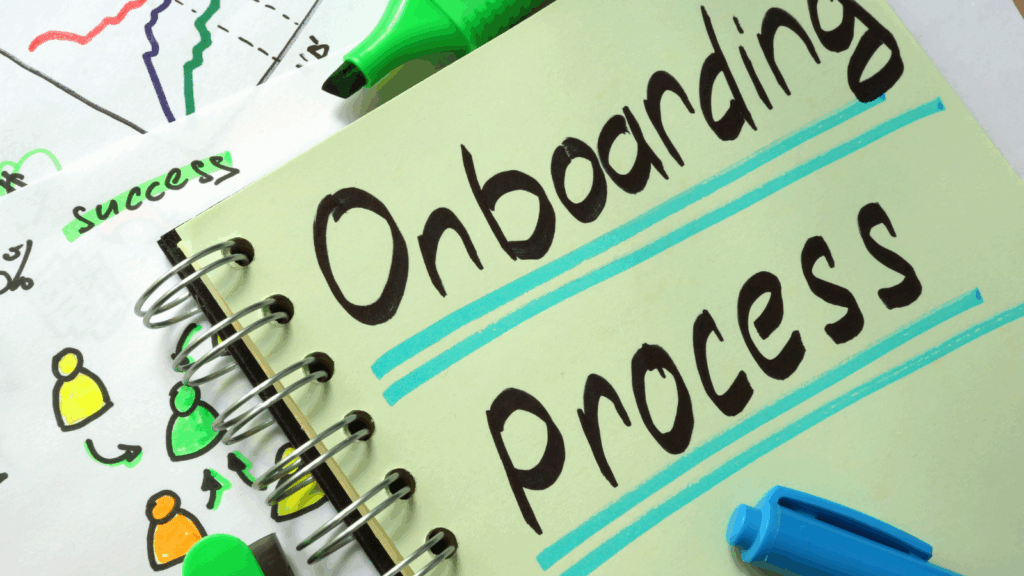
Customer onboarding is one of the most critical phases in the customer journey. A smooth, efficient, and personalised onboarding experience builds trust, reduces churn, and sets the stage for long-term engagement.
But for small teams, managing this at scale can feel overwhelming.
That’s where AI comes in.
These five tools can help automate onboarding workflows, personalise communication, and reduce time to value without sacrificing the customer experience.

Intercom
Overview
Intercom is a customer messaging platform that uses AI to power real-time support, onboarding flows, and proactive messaging.
Key Features
AI chatbot with natural language understanding
Automated onboarding flows (email, in-app, and chat)
Event-based triggers for personalised engagement
Help centre with GPT-powered article recommendations
Pros
Seamless multichannel communication
Smart automation with behavioural targeting
Easy to segment and personalise
Cons
Pricing can scale quickly as your user base grows
Some advanced automation features require higher-tier plans
Ideal Use Cases
Automating onboarding sequences for SaaS platforms
Providing instant help for first-time users
Triggering follow-ups based on user behaviour
Mini Usage Scenario
A new user signs up → Intercom sends a welcome chat message → If the user hesitates on setup, the bot offers help articles or books a call.
Top Integrations
Slack
Salesforce
HubSpot
Calendly
Zapier
Best For
SaaS founders
Customer success managers
Product-led growth teams
Stay ahead of the curve!
Subscribe to our newsletter and never miss the latest in business growth and marketing strategies
Loom AI
Overview
Loom is a video messaging tool that now includes AI to generate transcripts, summaries, and even talking point suggestions—ideal for onboarding walkthroughs.
Key Features
Record your screen with AI-generated outlines
Auto-transcripts with summaries for each video
Embed videos in emails, onboarding flows, or help docs
AI-assisted script writing (beta)
Pros
Personal touch at scale
Reduces support burden by showing, not telling
Great for visual learners
Cons
Requires time to record in the initial video library
Editing tools are basic
Ideal Use Cases
Demonstrating product setup
Sending personalised welcome videos
Explaining common onboarding hurdles
Mini Usage Scenario
Your CRM triggers a new customer email → Loom embeds a video walkthrough tailored to their use case → Reduces setup questions by 60%.
Top Integrations
Gmail
Slack
HubSpot
Notion
Intercom
Best For
Service providers
Customer onboarding specialists
Freelancers with digital products
Zapier + OpenAI
Overview
Zapier connects over 6,000 apps, and with OpenAI integration, it can automatically generate intelligent onboarding responses, documents, and messages.
Key Features
Automated workflows between tools
Custom GPTs to write onboarding emails, summaries, and FAQs
Behaviour-based triggers (e.g., send welcome doc after form submission)
Smart follow-ups using AI-generated content
Pros
Massive app ecosystem
Flexible use across onboarding touchpoints
Great for workflow consolidation
Cons
Learning curve for complex zaps
GPT calls may require custom prompts and credits
Ideal Use Cases
Sending personalised onboarding emails
Generating auto-filled onboarding documents
Triggering workflows from CRM or form entries
Mini Usage Scenario
A customer fills out an onboarding form → Zapier uses OpenAI to summarise their needs and email a custom welcome pack in minutes.
Top Integrations
Airtable
Typeform
Google Sheets
Gmail
Slack
Best For
Ops managers
No-code builders
Digital agency owners
Userflow
Overview
Userflow lets you build in-app onboarding experiences with zero code. It uses AI logic to tailor onboarding flows and increase user activation rates.
Key Features
Drag-and-drop user tours and onboarding checklists
Conditional logic to personalise onboarding per user role
Progress tracking and completion metrics
Real-time onboarding analytics
Pros
No-code interface
Hyper-targeted onboarding by user segment
Fast deployment
Cons
Limited if you’re not running a web app
Setup still requires strategic flow planning
Ideal Use Cases
SaaS onboarding with branching logic
Building user checklists with progress bars
Automating new feature introductions
Mini Usage Scenario
A user logs in for the first time → Based on their role, Userflow launches a tailored product tour → The user completes 3 key tasks by Day 2.
Top Integrations
Segment
HubSpot
Mixpanel
Amplitude
Intercom
Best For
Product managers
SaaS founders
Growth marketers
Typeform + GPT-4
Overview
Typeform offers conversational, interactive forms, and with GPT-4 integration, you can create onboarding flows that dynamically adjust based on user input.
Key Features
Adaptive forms that feel like conversations
GPT-enhanced question logic and follow-up content
Customisable welcome quizzes and surveys
Easy export to CRM or email flows
Pros
Higher engagement than static forms
Rich data collection
Works well for segmentation
Cons
GPT integration requires an external setup
Not ideal for long-form data collection
Ideal Use Cases
Client onboarding quizzes
Needs-based segmentation before onboarding begins
Lead qualification with auto-email follow-up
Mini Usage Scenario
A new lead completes a Typeform quiz → GPT generates a summary and onboarding doc → Auto-email sent with tailored next steps.
Top Integrations
Google Sheets
ConvertKit
Mailchimp
Zapier
HubSpot
Best For
Coaches and consultants
Marketers
B2B service providers
Don’t miss a beat in your business growth journey!
Join Pulse and stay ahead with expert tips and actionable advice every month.
Subscribe to Pulse Today
Final Thoughts
Customer onboarding doesn’t have to be a time-sucker. With the right AI tools, you can deliver a seamless, high-touch experience at scale—even with a small team.
These five tools combine automation, intelligence, and personalisation to make onboarding faster, smarter, and more effective.
Conclusion
First impressions matter—and onboarding is your moment to prove your business delivers on its promises.
With AI-powered tools like Intercom, Loom AI, Zapier + OpenAI, Userflow, and Typeform + GPT-4, you can automate repetitive tasks, personalise the experience, and accelerate customer success—all without hiring more staff or writing more manual emails.
Whether you’re welcoming clients, training users, or delivering services, these tools help you show up smarter and faster—every single time.
The smartest businesses aren’t working harder to impress new customers—they’re working smarter.
FAQs
Q1: What is AI-powered customer onboarding?
A1: AI-powered onboarding uses automation, machine learning, and natural language processing to guide new customers through setup, education, and engagement, without requiring manual intervention from your team.
Q2: Why should small businesses invest in AI onboarding tools?
A2: AI tools reduce onboarding time, personalise communication at scale, and eliminate repetitive tasks. This improves the customer experience while freeing up your team to focus on high-impact work.
Q3: Which AI tool is best for personalised onboarding emails?
A3: Zapier + OpenAI is ideal for generating personalised onboarding emails based on customer data and triggers. It allows small businesses to automate follow-ups, welcome sequences, and summaries using GPT.
Q4: Can I use multiple AI tools together in my onboarding process?
A4: Yes. Many of these tools integrate seamlessly. For example, Typeform can capture data, Zapier can trigger actions, and Intercom can deliver personalised messages—all in one automated flow.
Q5: How do AI onboarding tools impact customer retention?
A5: When onboarding is fast, clear, and helpful, customers stay longer. AI tools help reduce churn by ensuring customers understand your product or service and see early wins, fast.
Q6: Are these AI tools easy to implement for non-technical teams?
A6: Most tools, such as Userflow, Loom, and Typeform, are built for non-technical users. Setup typically involves drag-and-drop interfaces or guided flows, with AI working behind the scenes.
Q7: What’s the first AI tool I should try if I’m just starting?
A7: Start with Loom AI or Intercom. Loom makes it easy to record quick welcome videos that feel personal, while Intercom can handle immediate onboarding questions through chat.
Other Articles
How to Build a Smart Email Flow That Adapts to User Behaviour